01 DIGITAL MEMBERSHIP
With just your member QR,enjoy Thailand’s stores even more.
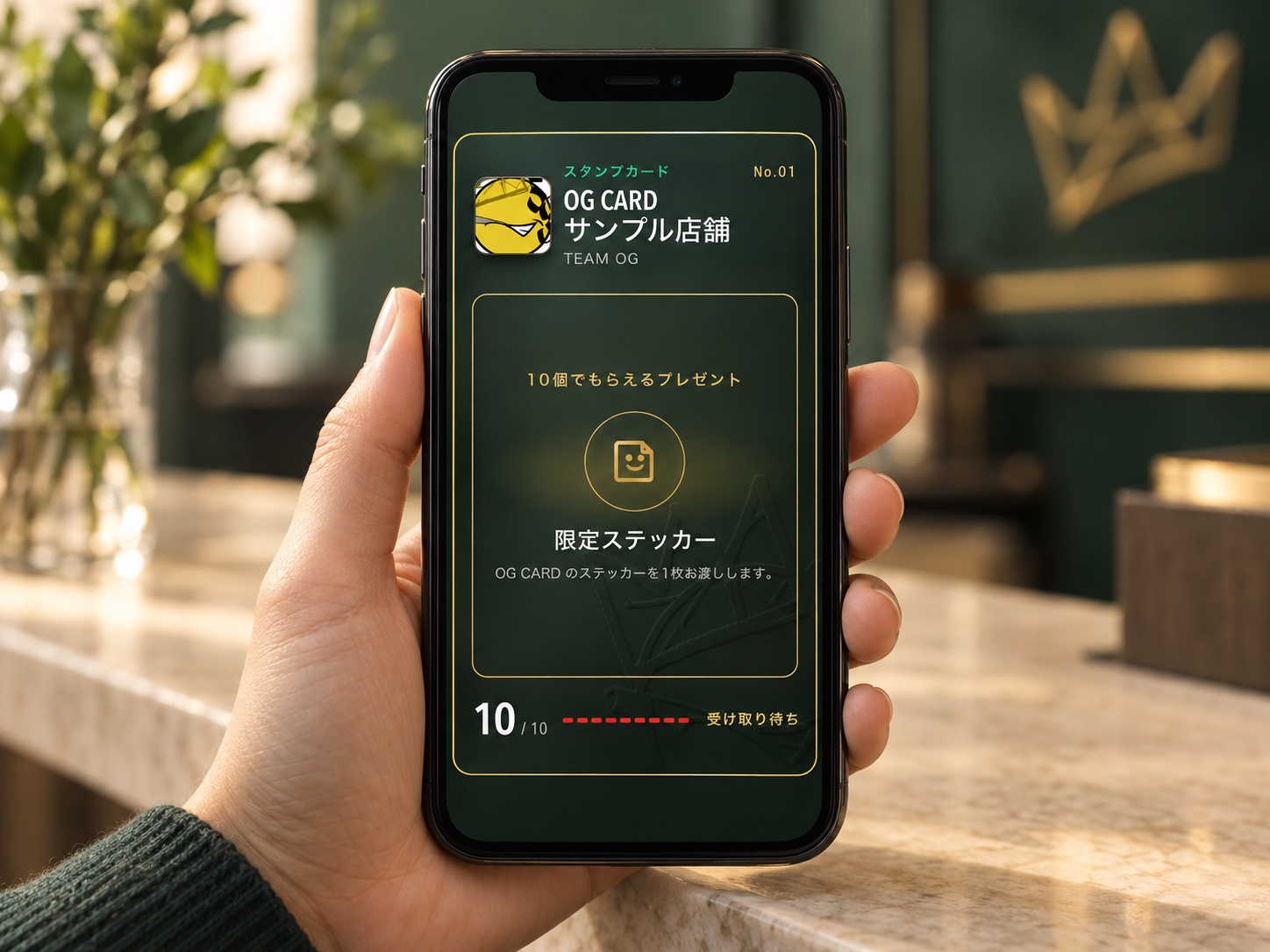
OG Card is a free digital membership card you can use at OG Card stores in Thailand. Show your member QR at a store to use that store’s member perks. Check-ins and purchases earn stamps for each store, and when you collect 10, you can get the present the store has prepared. After you check in, you can also see that store’s recommendations and helpful info.
- 01Discover
- 02Visit
- 03Perks
- 04Stamps



MEMBER NAME
TARO YAMADA
VALID THRU
2027/7/13
COUNTRY
Japan
MEMBERSHIP NO.
OG-SAMPLE-0001
Use this membership card at participating stores in Thailand, mainly in cities such as Bangkok and Pattaya.
20 or over / Age check and consent required at sign-up
02 OG CARD BENEFITS
OG Card gives you 3 perks.
-
Traveler
“What can I use once I become a member?”

-
OG Card team
“Show your QR at an OG Card store and you can use that store’s services and discounts.”

-
Traveler
“What do I get for collecting stamps?”
-
OG Card team
“Collect 10 at the same store and you get a present, separate from your member perks.”
-
Traveler
“What’s different for VIP members?”
-
OG Card team
“There are coupons only VIP members can use. You can check the details for each store.”
03 MEMBER BENEFITS
Perks for General and VIP members.

General member
Member perks at each OG Card store
Sample member perks
- 1 free bottle of water
- A free original sticker
- 10% off select goods

VIP member
Coupons for VIP members only
How to become a VIP member
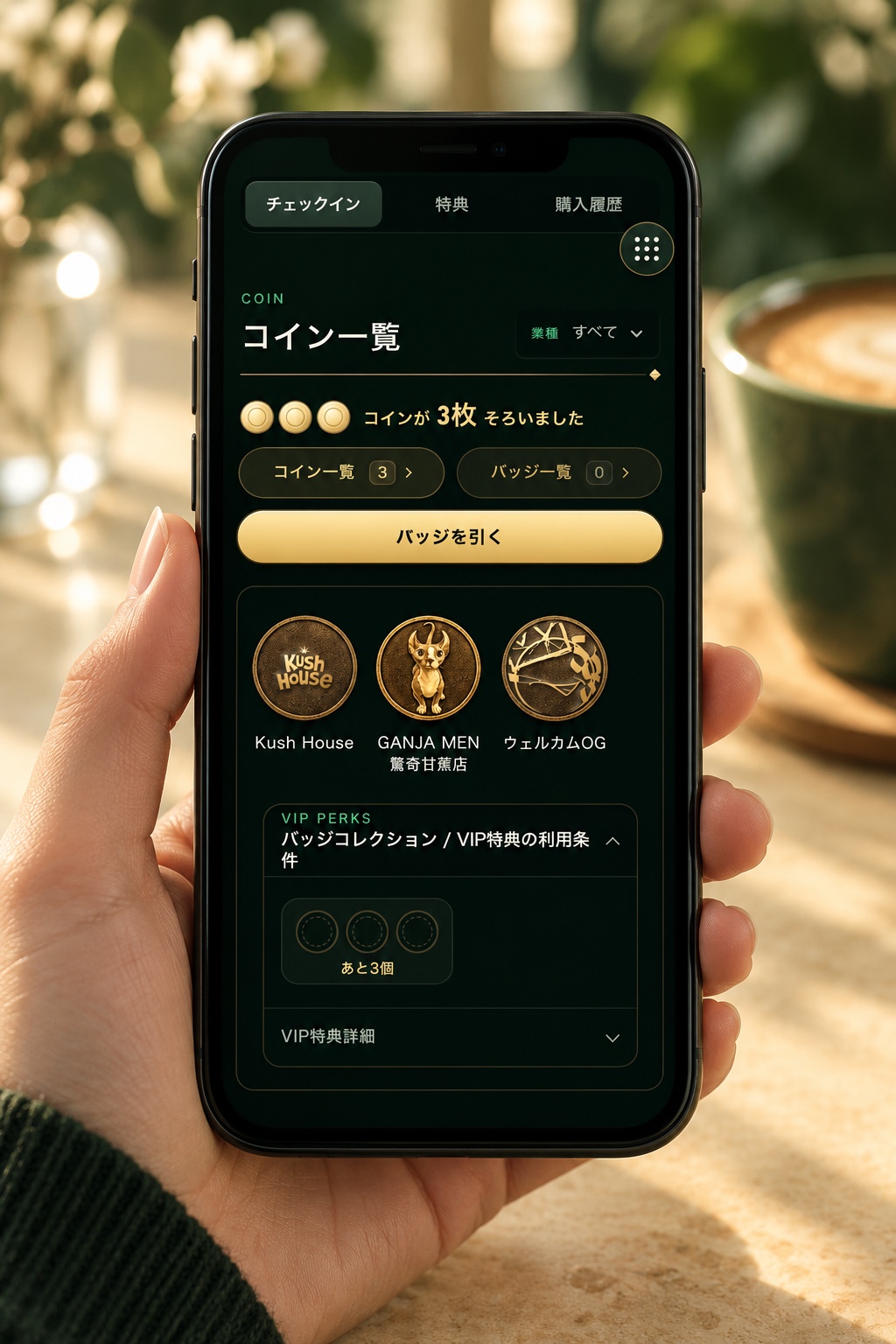
- 3 coins make 1 badge
- 3 badges make you a VIP member
- A gold OG Card
※ The perks shown are examples. Check with each OG Card store for the perks and terms you can use.
04 PARTNER STORES
Stores where OG Card works.
Meet the dispensaries, cafes, restaurants, and other places where OG CARD works.
 Dispensary
 Cafe
Cafe Restaurant
 Clothing
 Massage
 Hotel
Hotel Other
Other
STORE NAME
SAMPLE SHOP
VALID THRU
2027/7/13
COUNTRY
Japan
MEMBERSHIP NO.
OG-SAMPLE-0001






05 HOW TO USE
Sign up before you visit, then show your QR at the store.
Sign up for free before your visit, then show your member QR to the staff at the store. You can check the stamps and visit history they register for you on your own screen.
STEP 01
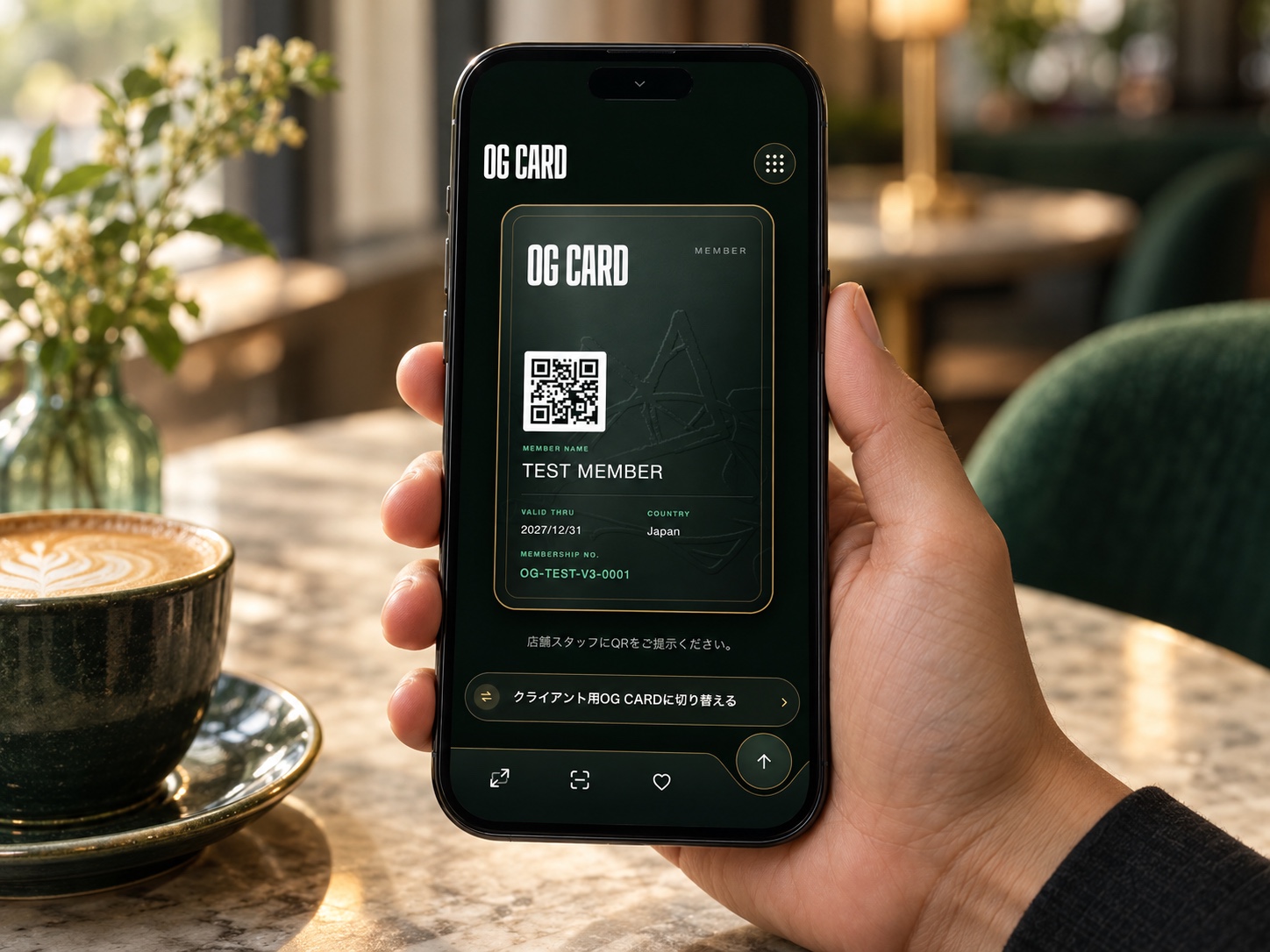
Sign up free before you visit
Link your LINE account and finish signing up for free. Check your member QR before you get to the store.
STEP 02
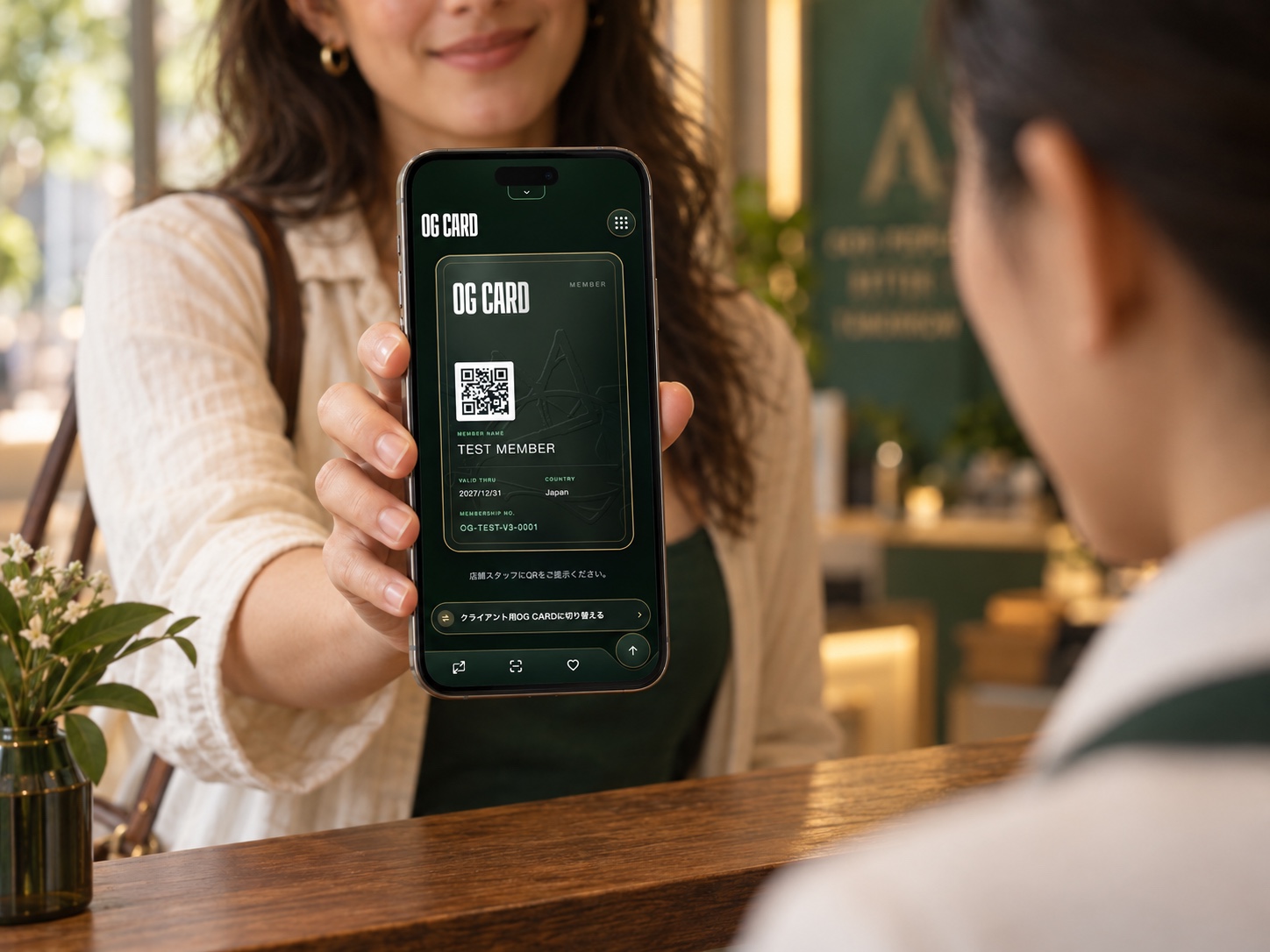
Show your QR at the store
Open your member QR and show it to the staff. If you want a stamp, ask them to register it right then.
STEP 03
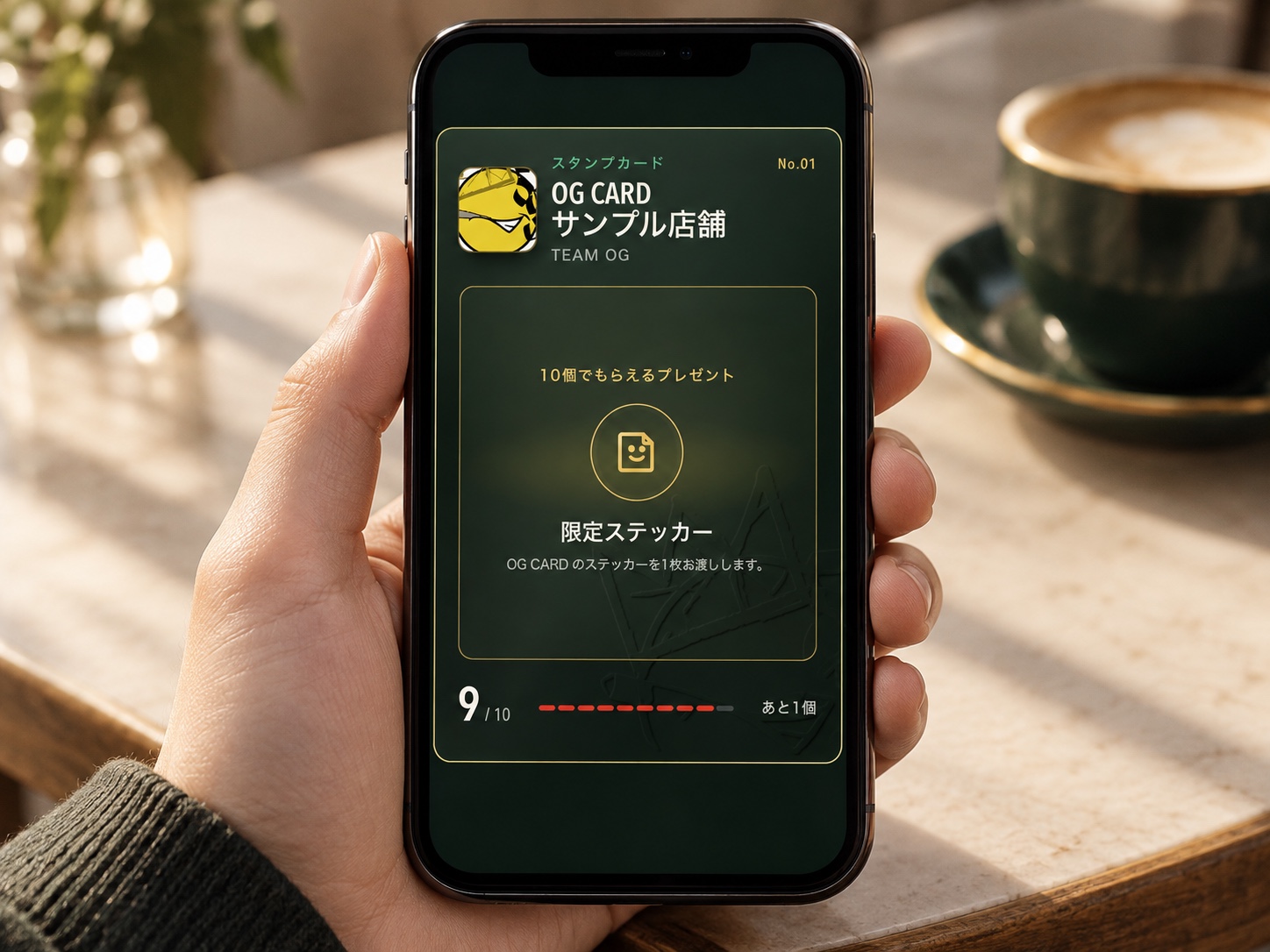
Check your stamps and history
The stamps and visit history registered for you appear on your own screen. Open it after your visit and check your records.
Stamps awarded for purchases appear after staff record them at checkout. Show your member QR and ask staff to register them.
06 STAMPS & VIP
Collect stamps for a present. Coins and badges lead to VIP.
Collect 10 stamps at the same store and get that store’s present. 3 coins make 1 badge, and collecting 3 badges makes you a VIP member.
How it works at each store
Stamps10 at one store
The store’s present
Path to VIP member
Coins3×
Badge1×
Badge3×
VIP member
Stamps
- What it is
- Collected store by store
- How to collect
- Registered by staffA registered visit earns 1 stamp and a registered purchase earns 2, added to that store’s stamp card.
- What it’s for
- At the same store, 10 stamps get you a presentWhat the present is varies by store.
Coins
- What it is
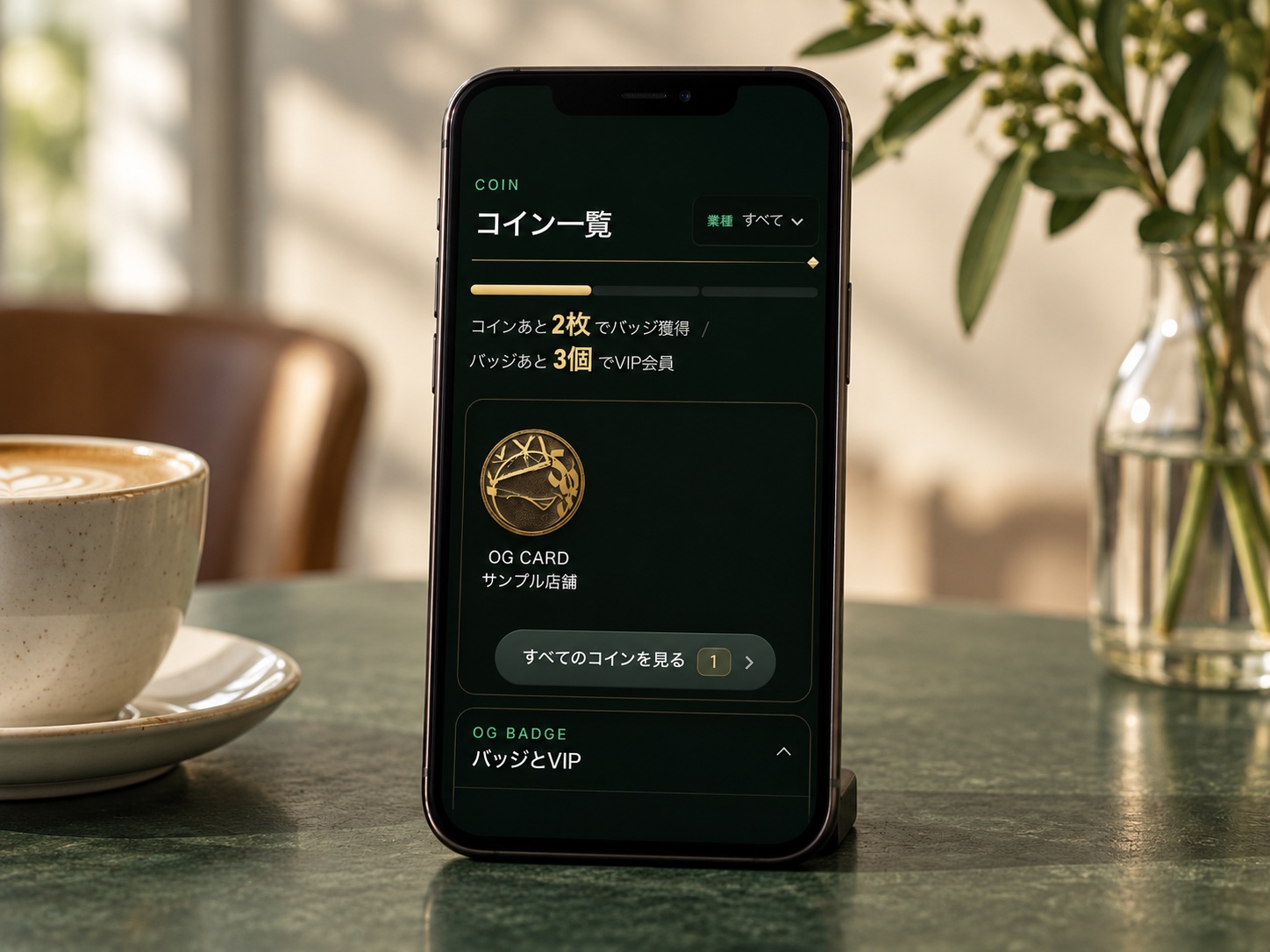
- Leads to badges
- How to collect
- You collect coins by checking in at OG Card stores. COMING SOONNew ways to collect coins are in the works.
- What it’s for
- 3 coins make 1 badge
Badge
- What it is
- Leads to VIP
- How to collect
- 3 coins make 1
- What it’s for
- Collect 3 to become VIP
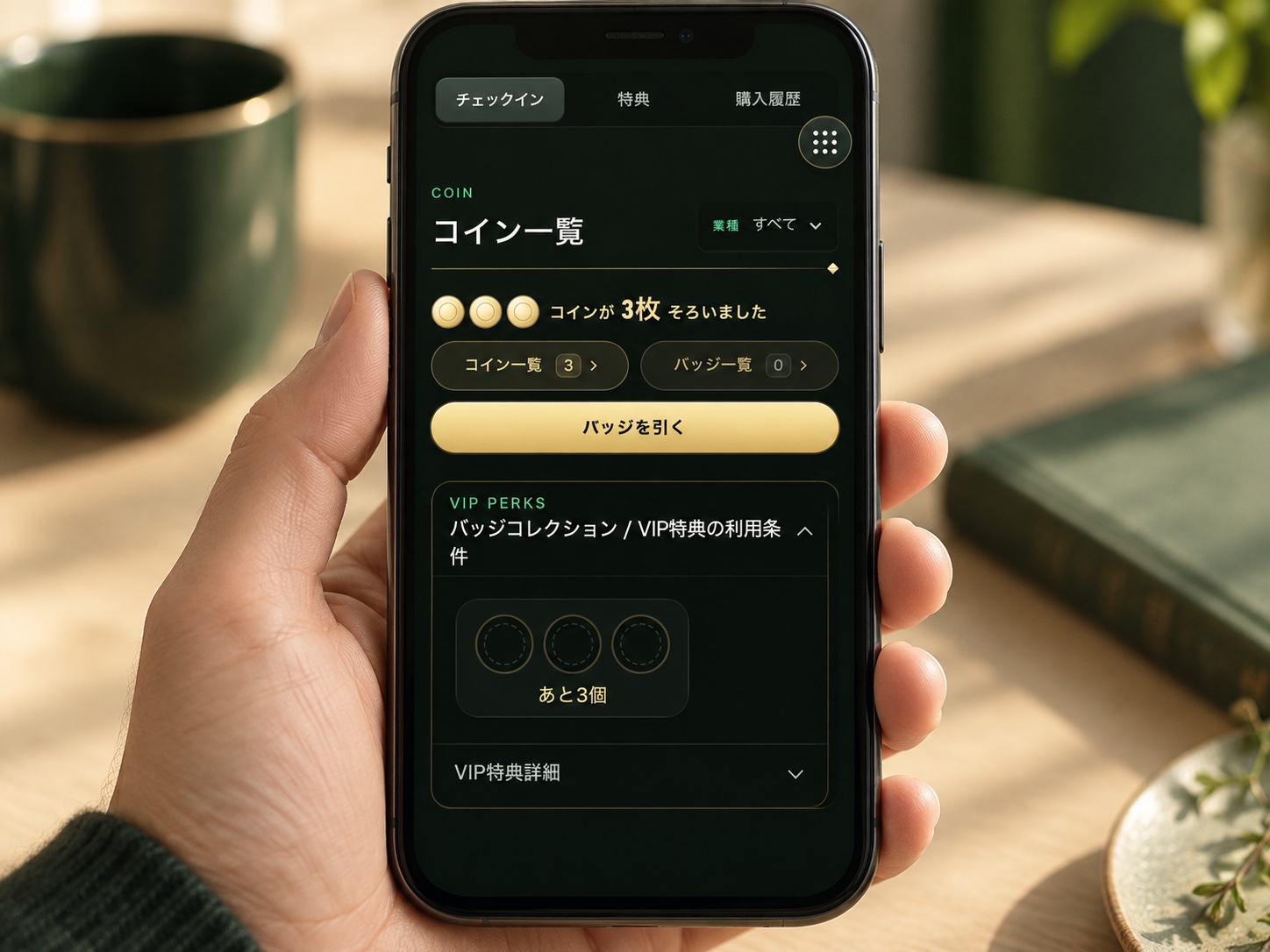
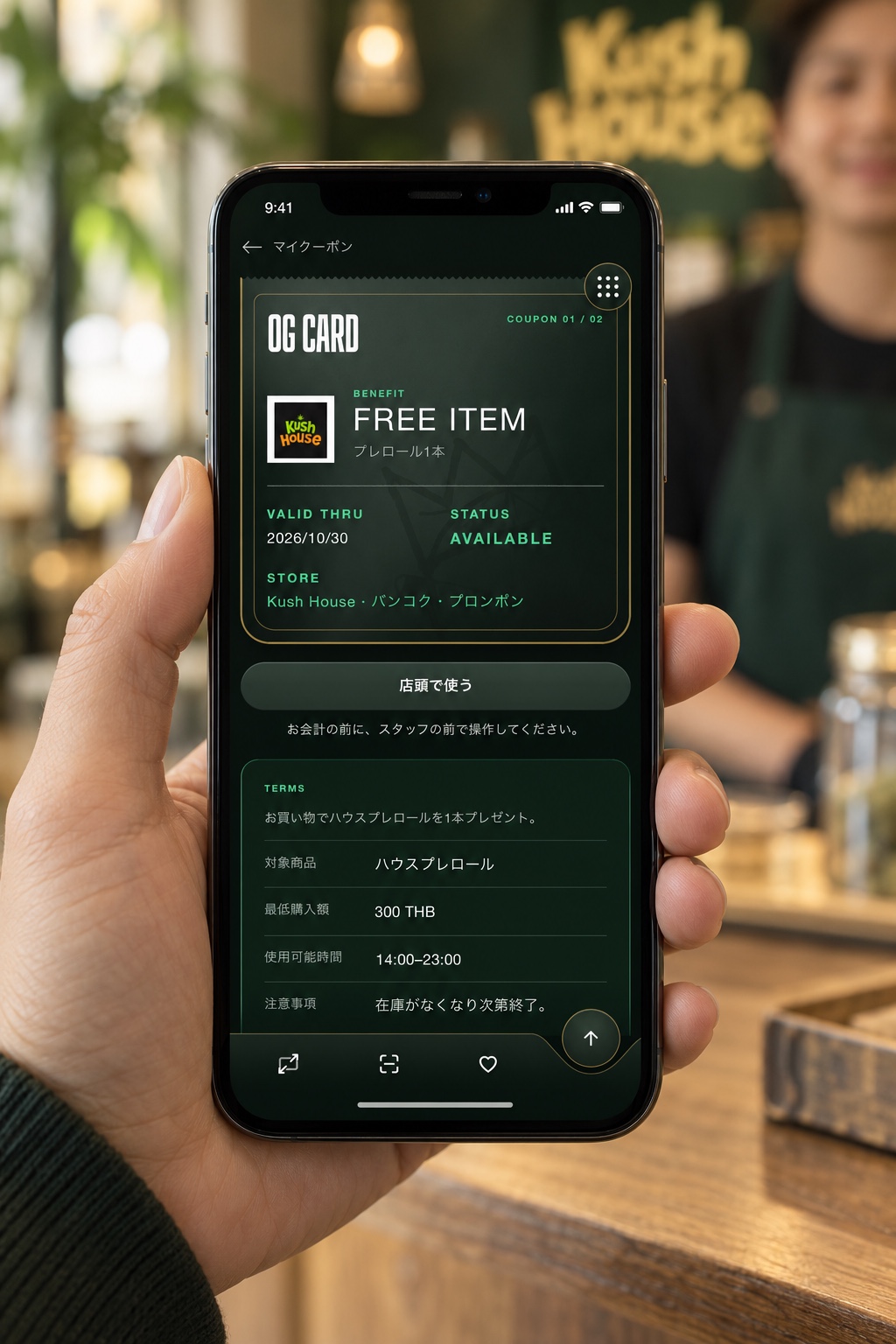
Once you become a VIP member, you can use VIP-only coupons. Check your member page for details and terms of use.
07 MEMBER PAGE
Show your QR at the store. Check stamps and history later.
Open your QR from your member screen and show it to the staff. The stamps and visit history registered at the store appear on the same screen.
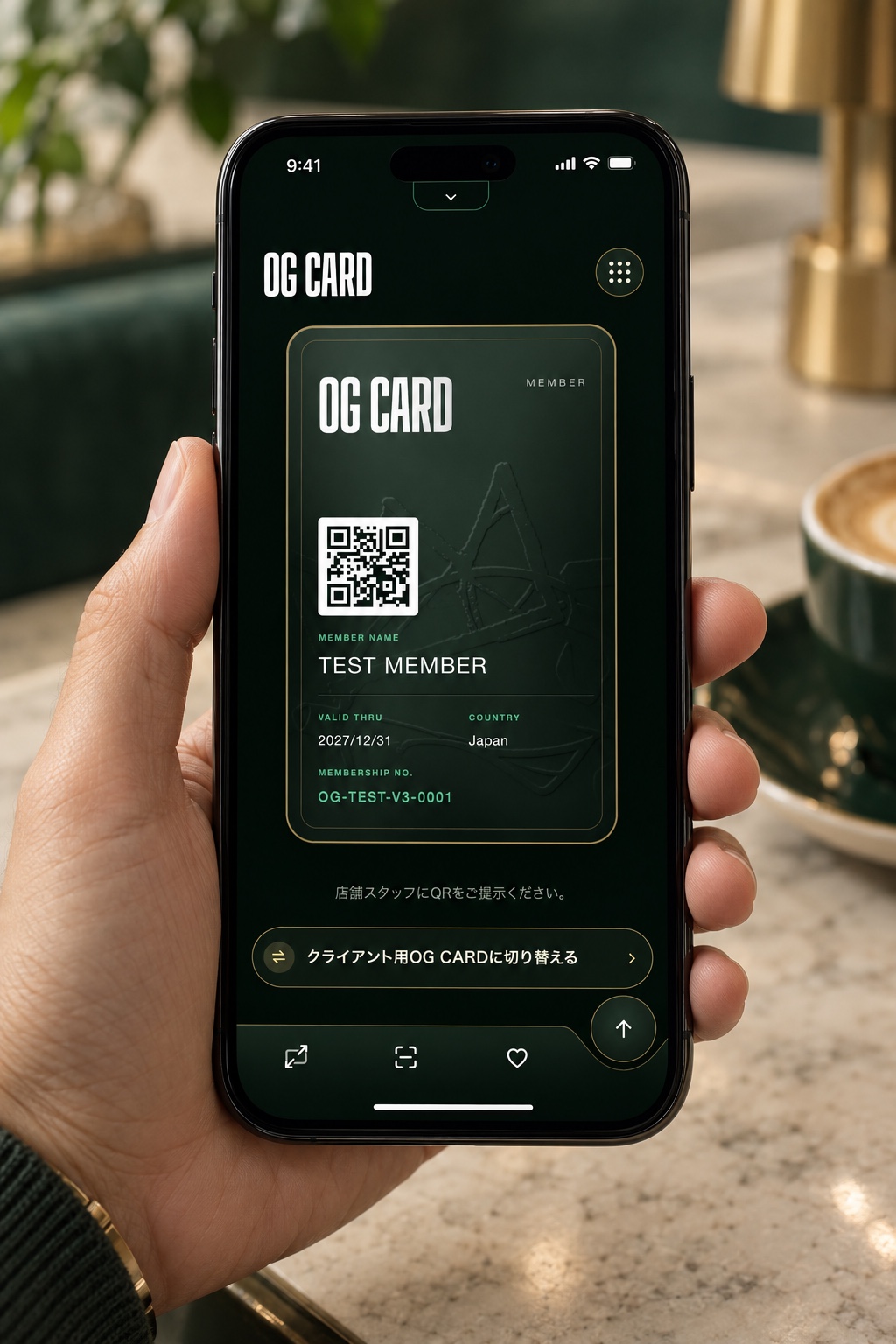
Show your QR at the store
Open your own OG CARD and member QR to show to the staff.
Tap “Enlarge card” at the bottom of the screen to see it bigger.See what you’ve collected
See the coins and badges you have.
Besides the coin collection and badge list, you can see how many more you need for your next badge and for VIP.See the coupons you can use
Check a coupon’s details and terms, then open it when you use it at the store.
You can also see when it’s valid until. Tap “Use in store” only in front of the staff.What you can do on your member page
- See store recommendationsCheck the recommendations and helpful info stores share.
- Save stores and articles you likeKeep the stores and articles you want to revisit all in one place.
- Read members-only articlesCheck out content made for members.
- Find storesSearch OG Card stores by city, area, and business type.
- Search by questionChoose your goal and area to get matching article suggestions.
08 QUESTIONS
Frequently asked questions
Is it free to get?
Yes. You can get one from the sign-up form on this page.
Are there conditions for signing up?
You need to confirm you’re 20 or over and agree to the terms of use and privacy policy. Please also check each store’s terms before you visit.
Do I need to download an app?
No. It works in your smartphone’s browser. Add it to your home screen to open it more easily next time.
Where can I use it?
You can use it at OG Card stores. Check the store listings on this page for each store’s location and info.
Does showing my QR alone record stamps or history?
No, showing it isn’t enough. Show your member QR to the staff and ask them to register your visit or purchase.
Where can I check member perks and info after check-in?
You can check member perks on your member page. Nearby tips and handy info a store has prepared are available after you check in.
Are perks and terms the same at every store?
No, they vary by store. Check the perks and terms at the store you’re using.
How do I earn stamps?
Show your member QR to the staff and ask them to register it. A visit earns 1 stamp and a purchase earns 2, added to that store’s stamp card.
How many stamps do I need to get a present?
10 stamps earn the store’s present. What’s offered varies by store.
What are coins and badges?
Coins are what you collect to get badges. 3 coins make 1 badge, and 3 badges make you a VIP member.
What changes when I become a VIP member?
Your card turns gold, and you can use VIP-only coupons. Details and terms vary by store.
How many coupons can I use per month? Is there a valid-until date?
Check the coupon info on your member page for how many you can use and the valid-until date.
What if I’m not sure how to use it?
Read the how-to on this page, and show your own member QR to the staff at the store.
What is LINE used for?
It’s used to link your account when you sign up and to log in to your member page. It isn’t an official ID check.
Can I still use it if I switch phones?
Log in with the same LINE account you signed up with, then open your member page.
Can I change my profile?
You can change it from Profile on your member page.
Can I lend my QR to a friend?
OG Card is for you only. Please don’t lend or share your QR.
Where can I see how my personal info is handled?
You can see it in the privacy policy on this page.
Can I use it in languages other than Japanese?
You can switch languages in the language settings on your member page. Check the options on screen for supported languages.
How do I find stores and articles?
Use search on your member page. Look for the places you want to go or the info you need.
What’s the difference between OG Card and TEAM OG CARD?
OG Card is your personal membership card. TEAM OG CARD is a per-store card that gathers each store’s info.
Does every store have a feature article?
Some stores have a feature article and some don’t. To learn more, check each store’s info.
09 START OG CARD
Get your OG Card free.
Once you finish signing up, we issue your membership number and personal QR. Your member page opens in a new window.
LIVE CARD SIMULATOR
MEMBER NAME
Your Name
VALID THRU
----/-/-
COUNTRY
Country
MEMBERSHIP NO.
OG-SAMPLE-0001
The QR shown here is a sample. Your official fixed QR is issued from the member area once you finish signing up.